
Home » Using the date picker
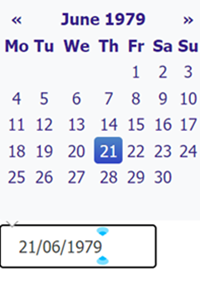
When you click in a date box, the date picker appears with a calendar. This may show the date that was already in the box or today’s date or another date (depending on the situation). The date can be changed although some dates may be greyed out because they cannot be selected.
If the year and month are correct, just select the day you want.
If the year and month are almost right, you can click on the left or right arrows at the top of the date picker to move to the previous or following month. A few clicks will move you several months.
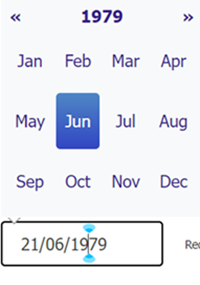
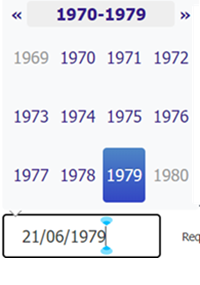
If the date is a long way from the date you need, click on the month and year. If the year is correct, select the month you want. If the year is incorrect, click on the year and a range of years will appear. If this is what you need, select it. To go to the previous or next decade, use the left or right arrows at the top of the date picker.

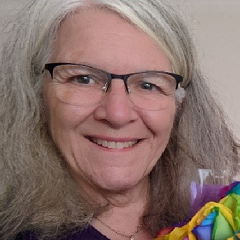

A couple of girls on the school bus told an 11-year old Heather that they did something called “bellringing” in her village, Bishop’s Waltham in Hampshire. She told her mum she was going to meet friends and secretly went to have a look. She was intrigued, got parental permission to learn and was quickly hooked!
At university in the mid-70s, Heather took advantage of the fantastic ringing opportunities in Birmingham, then began her working life in computer programming in Huntingdon. Marriage and children followed and she turned to teaching in FE, later qualifying as a school teacher. In the 1990s, with a move to northern Lincolnshire, life took a different direction, and she undertook training to formalise her knowledge of British Sign Language and still works part time as a freelance BSL interpreter. Oh, and through taking a part-time temporary job at a flying school, she undertook some training from the owner and got as far as solo circuits.
Heather has rung over 550 peals, conducting 9 of them, however her real passion has always been in sharing her love of the life-long learning that ringing offers.
Keen to share good practice in ringing teaching, she spent a good number of years on the CCCBR Education Committee, working on the ITTS, the forerunner of ART’s teacher training programme. When the ART was founded, she was utterly delighted to be one of its earliest tutors.
A firm believer that one size does not fit all, Heather tries to mould ringing teaching to the needs of the individual and is always keen to pick up new tips as well as share hers. “Every day’s a school day”, she says. Many of the 1000+ quarter peals she’s rung have been to develop ringers’ skills, explaining to novices that in a busy practice night they will get perhaps only 5-10 minutes to focus on something, but attempting a quarter offers them a personally tailored 40 minute session.
Empathy with the frustrations of being a learner has been a highlight in recent years through skill development in change-ringing on handbells. Heather had long been able to ring Plain Bob Minor and Major in hand, but beyond that faced an impenetrable wall. During Covid restrictions, she discovered the superb HandBell Stadium and is most grateful to have had patient online coaching and practice. Thereafter, with the Hull Handbells Project, she has continued to progress, often painfully slowly, but can now manage 7-8 to Yorkshire Surprise Major. A proud achievement was recently completing the Learn to Ring Level 5 in Handbell change ringing by conducting a quarter peal of Kent Treble Bob.
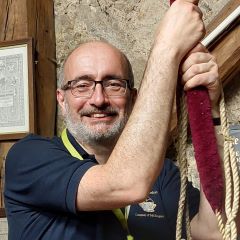
Neil learnt to handle a bell in Kent but learnt to ring whilst in Norwich whilst supposedly studying for a degree. On returning to Kent, he continued to progress and became more involved in ringing in his home area. He also began to ring at Rochester Cathedral which subsequently became his home tower.
As a primary school teacher, he is passionate about teaching and this has been an area of ringing that he has always been keen to support, both in his own tower and further afield. When his eldest daughter was invited to join the Kent Young Ringers, Neil started to assist the group by helping at their meetings and getting involved in the coaching and training the next generation of ringers, which he continues to do.
It was through the Kent Young Ringers that Neil became involved in ART; having participated an M1 course arranged for the KYR in 2019, he realised the benefits of the ART programme. He finally became an Accredited Teacher in 2023, after the disruption of COVID had finally settled down.
In 2022, Neil was elected as Chairman of the Kent County Association of Change Ringers and, during his tenure as Chairman, He took the opportunity to raise the profile of ART in Kent. The increase the awareness of ART in Kent has been apparent and the demand for M1 and M2 courses has now escalated, as have the number of accredited teachers in the KCACR. For Neil, the next logical step was to become an ART Tutor. Neil was appointed a tutor in 2026 and also serves on the Management Committee as Chairman of ART.
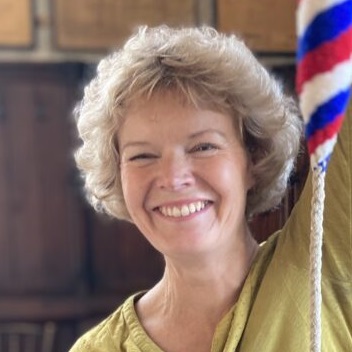
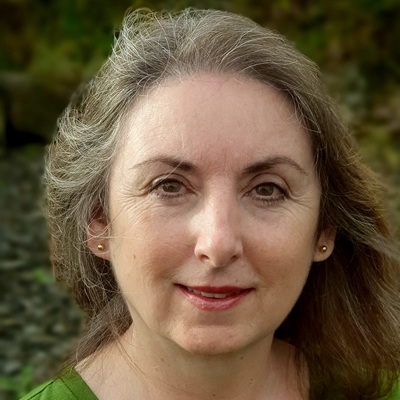
Motivating your band, strengthening your striking, sustaining your tower.
Louise spent twenty years leading and developing people and teams in the Financial Services Sector before changing career in 2007. She moved to Higher Education to become an academic and develop teaching, academic staff, and educational programmes. Improving learning experiences to make them more practically based and learner-centred. Her research focused on teaching and learning, particularly on gaining understanding into the transition experience of newcomers and their journeys as part of that process.
In 2016 Louise discovered a passion for bellringing having caught the ‘bug’ whilst learning to ring in various towers around Warwick. This experience gave her an appreciation of the art of bellringing from the perspective of newcomers joining bands.
Since retiring in 2022, Louise continues to ring church bells. She became a bellringer in Limerick, is a band member at Mount St Alphonsus and rings at the cathedral of St Mary’s. During her ringing career Louise has rung bells in over 80 towers across England and Ireland. She has met many wonderful people, received wisdom and shares with others from her own learning and hindsight. Even after a decade Louise finds that you never stop being a learner or loving the art or sounds of bells!
Motivating your band, strengthening your striking, sustaining your tower.
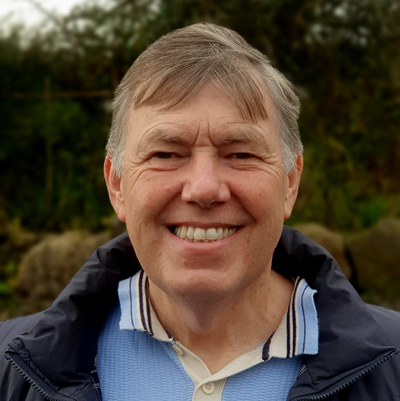
Ian is a retired academic. Having spent over twenty years working in Higher Education, lecturing subjects such as Engineering, Management, and Human Resource Development, to mention but a few. Ian brings his passion, knowledge and experience gained across a combined career in higher education and the manufacturing engineering industry, where he was a successful manager and Programme Director.
Ian began bellringing at a late stage of life when his wife set him one of fifty challenges for his birthday, one of these being to learn to ring bells. Ian is still on a journey to becoming ‘useful’ in his local tower and learn new methods!
Within the ten years of ringing he has rung church bells in over 100 different towers. His learning has meant observing different teaching, learning, and training methods in practice. Having retired and moved to Ireland in 2022, Ian continues to develop his own ringing and that of others. He is a band member at Mount St Alphonsus (Limerick), is the Steeple Keeper at the tower, he rings at the cathedral (St Mary’s), helps with teaching new and established ringers whilst trying to learn new methods and skills himself.
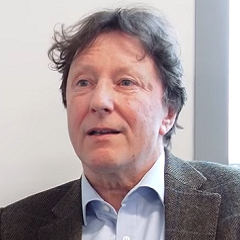
Whilst new to ART, Andrew has taught many people to ring, principally during his 28 years as Ringing Master of St. Mary’s Richmond, North Yorkshire, his home tower. He is a firm believer in theory and practice being necessary to develop ringers, and welcomes the opportunity to bring the skills and experiences of his work and his hobby to bear on the task of maintaining and developing bellringing as a tutor for ART.
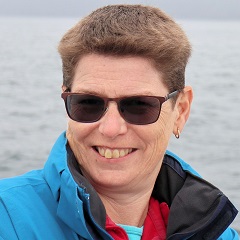
Alena began bell ringing at the age of 11 in the 1980s in Polebrook, a small village in Northamptonshire, as part of a new band formed to revive the local bells. Her passion for ringing grew during her studies at Birmingham University, where she rapidly expanded her repertoire and began teaching others.
Her career brought her to Plymouth, where she has been actively involved in the bell-ringing community ever since. She has held various roles within the local Guild and, since 2007, she has served as Tower Captain at Emmanuel Church, Plymouth, and. Over the years, she has taught many aspiring ringers and embarked on her ART journey in 2014, mentoring local ringers.
Beyond bell ringing, Alena is also deeply involved in scouting, regularly organizing sessions to introduce local scout groups to the art of bell ringing.
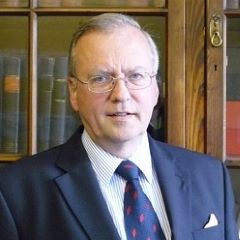
Andrew has a long history of service to the bell-ringing community. He served as Master of the Ancient Society of College Youths in 1978, as secretary from 1981 to 1991 and as a representative to the Central Council of Church Bellringers since 1978. His service there includes as commercial director of the Ringing World, as chairman of the Public Relations Committee and membership of several other committees including the founding of the Tower Stewardship Committee. In addition, he has project-managed several major bell restoration schemes in the UK and overseas including the Bells of Old Bailey Holborn, Trinity Wall Street NY and the Swan Tower Perth WA.
He is a founding Trustee of The Loughborough Bellfoundry Trust and one of the three owners who vested the buildings, archive, museum and historic equipment in the Trust for posterity.
Neil learnt to handle a bell in Kent but learnt to ring whilst in Norwich whilst supposedly studying for a degree. On returning to Kent, he continued to progress and became more involved in ringing at a District level. He also began to ring at Rochester Cathedral which subsequently became his home tower.
After training to become a primary school teacher, he initially found it difficult to commit to ringing beyond his own tower but gradually took a greater role in leadership at District level and in 2023 was elected as the Chairman of the KCACR.
Neil has always been passionate about teaching ringers and has been involved in training at different levels for much of his ringing career. When his eldest daughter was invited to join the Kent Young Ringers, Neil started to assist the group by helping at their meetings and getting involved in the coaching and training the next generation of ringers, which he continues to do.
Having taken the M1 course in 2019, he realised the benefits of the ART programme and became an Accredited Teacher in 2023, after the disruption of COVID had finally settled down. During his tenure as Chairman, Neil took the opportunity to raise the profile of ART in Kent and how it would benefit other KCACR members. The increase the awareness of ART in Kent has been apparent and the demand for M1 and M2 courses has now escalated, as have the number of accredited teachers in the KCACR.
Neil is looking forward to being Chair of ART and hopes that he will be able to contribute to the ongoing success of the Association of Ringing Teachers.
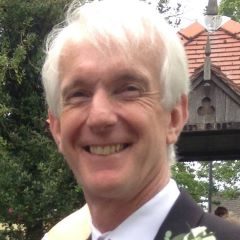
After learning to handle a bell more than 30 years ago, Andrew lapsed until a post-lockdown house move took him to live in a village with church-bells. Persuaded to resume his ringing, he is now on a personal improvement journey as well as teaching others from basic handling through to elementary change ringing; of course, using ART training methodology.
He is now retired, having been, by profession, a solicitor – first in private practice and then in local government. He ended his career in the role of local authority chief executive. Since retirement he has served on the boards of several charities.
He balances his bellringing with an interest in opera and regency-style dancing.

Sally has been a keen bellringer since the age of 8, being taught to ring in Pontefract by her father. She has been hooked ever since, with her peal total now creeping towards 3000! She particularly enjoys ringing the treble and the challenge of striking it accurately.
Sally moved to Leicester in 1979 to study Chemistry at University and she has never managed to escape back to Yorkshire. She now lives in Loughborough, where she is tower captain and an active tour guide and volunteer at the Bellfoundry. Sally has recently retired following a long career as a Senior Manager in IT in both the University sector and local government. She is now even busier than ever.
Sally is very passionate about teaching others to ring and she is currently teaching at several local towers. She enjoys encouraging others, whatever age or gender, to develop their ringing and conducting skills. She is a frequent tutor on ringing courses and she enjoys judging striking competitions.
She has recently finished 4 years as President of the Leicester Diocesan Guild and is proud to be the current winner of the “Alan Jacques Award” for her contribution to ringing, training and for passing her infectious enthusiasm on to others.
Sally is a member of the Central Council of Church Bellringers, the Society of Royal Cumberland Youths and is looking forward to playing an active role on the ART Management Committee
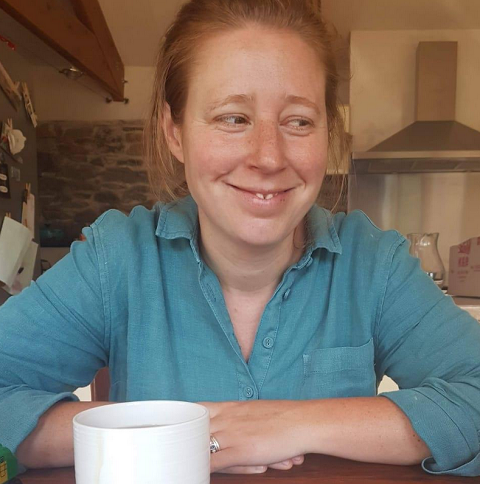
Awaiting description
Awaiting bio
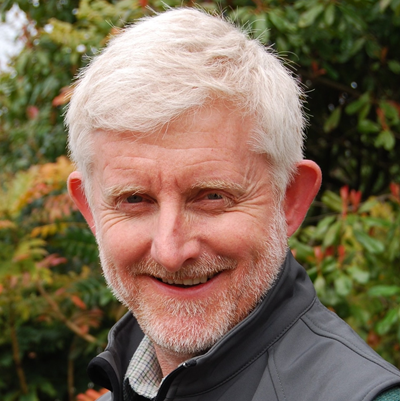
The importance of empathy, engagement, flexibility and goals as you travel along the ringing road.
Having been actively involved with ART since its early days, Paul is currently one of its Tutors and has recently finished ten years on its Management Committee working mainly in the area of Standards and with the team of Assessors. Most of Paul’s week-by-week ringing and teaching is based in his home county of Shropshire where he works as a higher education senior lecturer and industry trainer. Paul is also a Central Council Representative for the Shropshire Association and a Freeman of the Hereford Diocesan Guild.
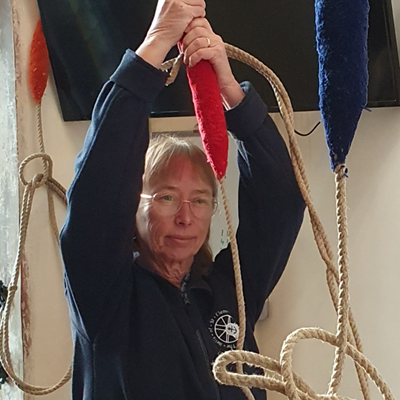
Lynne will be bringing to life the skills (and challenges) of running a ringing centre, and teaching as a paid role.
Lynne is a bellringer with 44 years’ experience, having started as a teenager. With a background in education, she has been teaching ringing for many years; and supported ART from its inception as teacher, mentor and eventually assessor. In Devon, she was tower captain at Dawlish, and for some time organised training events for the Guild of Devonshire Ringers. She set up the Devon Young Ringers and took a band of them to the inaugural RWNYC.
Moving to Cambridge in 2023 to take on the paid role of Ringing Centre Manager at St Clement’s, Lynne is delighted to be part of this innovative project, following her passion by teaching ringing every day. Lynne enjoys ringing on all numbers, including the challenges of 12-bell methods, and peals or quarters in tower and in hand. She has been a Central Council representative since 2011.
The ripple effect: leadership that lasts.
Elva and her sister were taught by her father Alan as teenagers at Amersham, Bucks. When she arrived at Bristol as a student she had rung 50 peals and she continued to expand her ringing to include the bigger numbers with the Cumberlands in London.
Career, family and physical injuries meant she has rung on and off since then though she has enjoyed the last six years ringing at York Minster and helping her children to learn to ring.
Elva runs her own global HR/coaching business and has been active in her local Association in education and training as well as being on the CCCBR and The Ringing World Board, specifically focusing on supporting the annual Ringing World Youth Contest over the last five years.

Finding, welcoming and keeping the next generation of ringers.
Moira started ringing in 1990 at the age of 11. Already an active member of St. George & St Mary’s church, she started to ring as a hobby for her Duke of Edinburgh awards. She rang until around the age of 16, although less frequently and then disappeared from the ringing scene for around 20 years to concentrate on college, university, family and her career.
The bells of Church Gresley were out of action for around 8 years, in which time Moira was ready to return to ringing but didn’t really know anything about the world of ringing outside of Church Gresley or know any other ringers. In 2014 the bells were ready to ring again and Moira was asked to take on the task of getting them ringing again, probably because she had pestered the PCC for the duration of the bells being unringable. Not knowing where to start, Moira agreed to do something. Thankfully by chance Moira had become friends with John Cater on Facebook some months before so asked if he would help her. Moira and John had not seen each other for 20+ years, but John kindly agreed to help. John introduced Moira to ART and they both quickly went through M1 & M2 and taught a new band from scratch. Unfortunately the bells at Gresley are out of action again, but that’s another story.
Moira is now a teacher, mentor, Tutor and Assessor for ART and runs the South Derbyshire Ringing Centre with John.
If Moira isn’t ringing then she’s busy doing something else, DIY, tending to her allotment, working away, spending time with her dog, cats and family, running or going to bootcamp. If there ever is time to relax though, it’s with a large glass of Sauvignon!
A practical introduction to rope splicing.
John Newbold began ringing as a teenager, where he met his wife, Tracey, and learned the art together. After a long break, they returned to ringing and are now active within a cluster of towers in west Warwickshire, where they help care for the bells and support and advise other ringers.
John has been pivotal in developing bands across the south-west of Warwickshire and is keen on arranging practices to help learners grow in confidence and ability. He has a particular interest in teaching rope splicing, a skill that also supports his work in tower maintenance.
John greatly enjoys ringing multiple doubles methods, is steadily improving his higher-number ringing, and also plays the organ, often running from one to the other.
Motivation and retention are the maintenance plans for our ringers. What can we take away?
Andrew graduated with a BSc, MSc and PhD, in mathematics. He brings to ART an understanding of how to work through others to achieve strategic and tactical goals and an in-depth experience of the world of quality assurance of education programmes and activities. He has also devised and delivered many change management processes as universities have evolved over the last 30 years.
Andrew was introduced to bellringing through handbells. Having been shown how to ring Christmas Carols on handbells at his Church Youth Club in Turnford, Hertfordshire (no bells!) Andrew spotted a sheet of numbers which proved to be Plain Bob Minor. The rest is history. He learned to ring a bell at Cheshunt, Herts and learned to ring at Waltham Abbey, Essex. Andrew was elected to the College Youths as a youth and rang regularly in London and elsewhere with people who gave him an excellent tutelage which has sustained him throughout his ringing career. Now living in Richmond, North Yorkshire, Andrew has held many posts in his branch of the Yorkshire Association of Change Ringers and is currently President of the Yorkshire Association and Librarian and Archivist of the Association. He is a Trustee of the Taylor Bell Foundry Trust who are completing a major development of the buildings and the associated museum. This work will preserve the last remaining full service Bell Foundry business in the UK and provide a heritage asset for both bell ringers and others interested in the industrial history of the UK.
Andrew has taught many people to ring, principally during his 28 years as Ringing Master of St. Mary’s Richmond, North Yorkshire, his home tower. A firm believer in theory and practice both being necessary to develop ringers, he welcomes the opportunity to bring the skills and experiences of his work and his hobby to bear on the task of maintaining and developing the Art and Science of Bellringing in the UK way, as practised across the world.
Tour the foundry with one of its tour guides.
Sally has been a keen bellringer since the age of 8, being taught to ring in Pontefract by her father. She has been hooked ever since, with her peal total now creeping towards 3000! She particularly enjoys ringing the treble and the challenge of striking it accurately.
Sally moved to Leicester in 1979 to study Chemistry at University and she has never managed to escape back to Yorkshire. She now lives in Loughborough, where she is tower captain and an active tour guide and volunteer at the Bellfoundry. Sally has recently retired following a long career as a Senior Manager in IT in both the University sector and local government. She is now even busier than ever.
Sally is very passionate about teaching others to ring and she is currently teaching at several local towers. She enjoys encouraging others, whatever age or gender, to develop their ringing and conducting skills. She is a frequent tutor on ringing courses and she enjoys judging striking competitions.
She has recently finished 4 years as President of the Leicester Diocesan Guild and is proud to be the current winner of the “Alan Jacques Award” for her contribution to ringing, training and for passing her infectious enthusiasm on to others.
Sally is a member of the Central Council of Church Bellringers, the Society of Royal Cumberland Youths and is looking forward to playing an active role on the ART Management Committee.
Awaiting description
Nikki Thomas learnt to ring in Norfolk from the age of 8 having been taken along to listen to the “Proper Ringers” ringing the Christmas Eve peal at Long Stratton by her Dad who was also a keen bellringer.
Nikki joined the Guild of St Peter Mancroft in the 1980’s and has been a Guild member ever since. Having moved to Broadland along with husband Neil they established a band at South Walsham.
In November 2018 Nikki was appointed the Manager of the Mancroft Ringing Discovery Centre, a part time paid role that appears to
occupy every spare minute.
When not ringing Nikki plays her clarinet in a wind quintet and a local orchestra.
Bells don’t ring themselves. How to build a peal in human form.
Jez is relatively new to bellringing, having first taken up the ropes in the summer of 2024 in response to a shortage of ringers at his local church, where he also serves as churchwarden. This need arose when a family of ringers, including the tower captain, moved away from the village. Since then, Jez has made rapid progress, completing all five ART Learning the Ropes levels and currently developing his knowledge of Surprise Major methods. He is now a regular member of the bands at both his home tower of Barrow upon Soar and Loughborough Parish Church.
A strong advocate of the ART approach to teaching, Jez has completed both ART Module 1 and Module 2 training and is accredited to teach Module 1. Working collaboratively with other ART teachers, he has helped grow the Barrow band by six enthusiastic new ringers since the start of 2025.
Outside of ringing, Jez brings over 15 years’ experience in building and inspiring multi-disciplinary engineering teams, delivering state-of-the-art technologies in zero-emission transportation power systems. His professional background is rooted in control systems and electronics engineering, dating back to his university studies.
Jez believes that any team—whether in engineering or bellringing—tasked with delivering complex outcomes needs more than technical knowledge alone. Success depends on strong social cohesion, recognition of individual strengths and development needs, and a shared commitment to supporting one another in achieving common goals.
This final session brings together everything we’ve discussed this weekend – how to keep both your tower and band working at their best.
Neil learnt to handle a bell in Kent but learnt to ring whilst in Norwich whilst supposedly studying for a degree. On returning to Kent, he continued to progress and became more involved in ringing at a District level. He also began to ring at Rochester Cathedral which subsequently became his home tower.
After training to become a primary school teacher, he initially found it difficult to commit to ringing beyond his own tower but gradually took a greater role in leadership at District level and in 2023 was elected as the Chairman of the KCACR.
Neil has always been passionate about teaching ringers and has been involved in training at different levels for much of his ringing career. When his eldest daughter was invited to join the Kent Young Ringers, Neil started to assist the group by helping at their meetings and getting involved in the coaching and training the next generation of ringers, which he continues to do.
Having taken the M1 course in 2019, he realised the benefits of the ART programme and became an Accredited Teacher in 2023, after the disruption of COVID had finally settled down. During his tenure as Chairman, Neil took the opportunity to raise the profile of ART in Kent and how it would benefit other KCACR members. The increase the awareness of ART in Kent has been apparent and the demand for M1 and M2 courses has now escalated, as have the number of accredited teachers in the KCACR.
Neil is looking forward to being one of the Trustees of ART and hopes that he will be able to contribute to the ongoing success of the Association of Ringing Teachers.
How to keep potential Red Zone ringers inspired, engaged, and moving forward with enthusiasm.
Simon is a well known ringer, having held high profile roles in ringing including being the previous President of the Central Council. Alongside his relatively high flying ringing career, Simon does a lot of teaching both at his home tower of Moseley and with the Birmingham School of Bell Ringing, which was founded when he was Master of the St Martin’s Guild. He has been a supporter of ART pretty much from the start.
About 20 years ago Simon wrote a series of articles in the Ringing World called “Room at the Top” in which he characterised distinct levels of ringing as a series of coloured ‘Zones’, akin to the grading of ski-slopes as Green (easiest) to Black (hardest). His assertion was that moving from one Zone to the next carried significant challenges and formed barriers to progress. This concept has become fairly well established and the terms like ‘Red Zone’ have become part of ringing’s lexicon.
The importance of empathy, engagement, flexibility and goals as you travel along the ringing road.
Dee learnt to ring in North Herts in the 70s as a teenager. She was very lucky to have a teacher who insisted on good handling and ringing with a gang of teenage bell ringers – they enjoyed lots of ringing based adventures!
Going to University in Nottingham to study Applied Chemistry, Dee joined NUSCR and was introduced to course bells, ringing surprise methods and ringing on higher numbers. She still maintains close links with the Society and was proud to hold the post of NUSCR President for 5 years.
In the 80’s Dee’s parents retired to Cornwall and during school holidays she had the privilege of ringing Call Changes with the local ringers and going on tour with the Cornish Choughs. She started her teaching career in the Midlands before finally settling to live in Burwell Cambs.
Dee is a very active ringer. As well as being the Burwell Tower Captain, she is the Ely DA Recruitment and Training Officer and Chair of Stretham REC. At the REC she enjoys the weekly Saturday morning teaching sessions with their buzzing atmosphere. The ART resources and her ART training are put to good use in her ringing activities.
With her teaching background, Dee finds being an ART Assessor extremely rewarding. She enjoys visiting different practices and guiding teachers and mentors. As a member of the ART Management Committee, she looks forward to supporting and developing the area of ART Assessment.
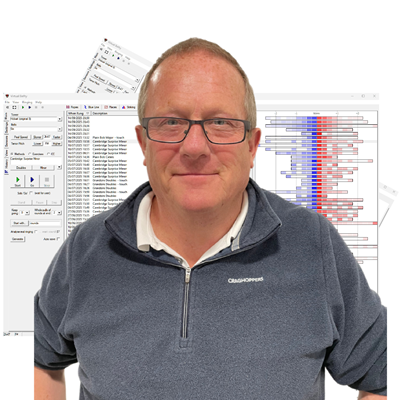
How to choose the right simulator set up.
Steve is a late starter when it comes to ringing, he first held a rope in October 2016 at the age of 54 after to going along to a Tower Open Day that was being held as part of the English Heritage Weekends at Tilston in Cheshire, where he lives with his wife, a ringer of over 20 years.
Not satisfied with the slow progress of learning “15 minutes before a practice” in his usual enthusiastic way, using his background in electronics and IT Systems, he designed and built a simulator to allow more access to learn, this became a commercial product and the Simbell Wireless system is now installed in towers from Australia to Quebec, and across the UK and his experience in their use for training and development of all levels of ringing is now well known.
In 2023, Steve was elected Chairman and Ringing Master of the Chester Branch of the Chester Diocesan Guild, a post he held for two years.
Always the incorrigible enthusiast. Steve will happily discuss with you, all elements of the use of simulators when teaching in the tower, from group ringing to games, from simple exercises to in depth analysis of quarter peal performance, but all with an emphasis on fun for those taking part!

Dr Cheryl J. Travers, Reader in Organisational Psychology at Loughborough University, will be giving a presentation on motivating ART teachers. Drawing on her research into motivation, wellbeing and reflective learning — and a deep appreciation of volunteer-led communities — Cheryl will explore what really helps ringing teachers stay engaged, confident and energised in their role. The session will focus on practical, evidence-informed ideas that recognise both the challenges and the quiet rewards of teaching ringing offering insights that can be applied immediately in towers and ringing communities.
Ropes are stronger than people think, and more fragile than they realise.
Philip founded Avon Ropes in 2007. Since its inception, the business has grown consistently year on year, building a reputation for quality workmanship, reliability, and specialist knowledge within the bellringing community.
As founder and owner, Philip remains the principal point of contact for Avon Ropes. He takes a hands-on approach to every aspect of the business and is always happy to discuss requirements, offer advice, and answer any questions customers may have.
Philip has been a bellringer for over 30 years and has been closely involved in the maintenance, care, and understanding of church bells and their fittings for just as long. This depth of practical experience directly informs the way Avon Ropes operates, ensuring that products are designed and supplied with real-world use, tradition, and longevity in mind.
In 2019, Philip acquired the traditional rope-making equipment of the late Peter Minchin, preserving established techniques and craftsmanship that have served towers across the country for decades. This commitment to heritage was further strengthened in 2025, when Avon Ropes acquired Peter Minchin’s complete archive of approximately 5,500 records, dating from 1971 to 2018.
Avon Ropes now has full access to this historic archive and can look up detailed information on tower bell ropes supplied over nearly five decades. This unique resource allows the business to provide continuity, accurate replacements, and informed support for churches and towers with existing installations.
Philip’s combination of long-standing bellringing experience, technical knowledge, and dedication to traditional craftsmanship underpins Avon Ropes’ reputation as a trusted specialist supplier within the bellringing world.
Bells last centuries, but fittings and structures don’t unless they are maintained.
Simon Adams is the Commercial Executive at Taylor’s Bellfoundry, a role he has held since 2009. Over more than a decade in the position, Simon has developed an encyclopaedic knowledge of the projects, restorations, and new works undertaken by the foundry during his tenure, making him an invaluable source of continuity and expertise.
Simon has a thorough understanding of the practical and administrative realities faced by churches and clients. His knowledge spans Parochial Church Councils (PCCs), funding routes and grant applications, project management, relevant legislation, and insurance requirements. This broad skill set enables him to guide clients clearly and confidently through what can often be complex and highly regulated projects.
As the main lead within the Sales Team, Simon is typically the first point of contact for enquiries and proposals. He is known for his clear communication, attention to detail, and ability to match client needs with appropriate technical and practical solutions. His experience ensures that projects are well defined from the outset and progress smoothly from initial discussion through to completion.
Simon’s combination of commercial acumen, detailed historical knowledge, and understanding of ecclesiastical processes makes him a trusted advisor to clients and a central figure within Taylor’s Bellfoundry’s day-to-day operations.

Looking at what the hub actually does, and its central role in helping local tower.
Matt started ringing in Walsall as a teenager in the mid 1980’s when a school friend persuaded him to have a go. Although he has been ringing for over 30 years it is only since moving to Lilleshall, Shropshire in 2013 that he started (out of necessity) teaching people to ring. Building and developing the band at Lilleshall resulted in a particular interest in recruitment and retention. Matt won the 2025 Excellence in Recruitment And Retention ART award.
Matt is a member of ART’s Management Committee and current coordinates Teaching Hubs.
Increasing local engagement with Ringing 2030.
Most of us in ART will know Tina as she has been a loyal and supportive member since 2013, having taught many people to ring. She has been ringing for over thirty years, has run a bellringing after school club and co-written two books on handbell ringing. All of that started when she attended a lecture on the mathematics of change ringing at Kalamazoo College, and never looked back.
She has held several roles and offices including Editor of The Ringing World, Publicity Officer for the North American Guild, Secretary of the Scottish Association, and Ringing Master for both Glasgow Cathedral and Inveraray bell tower. She was part of the Women in Ringing Working Group which benchmarked the lack of women in leadership roles in ringing and collected stories about the experiences of women ringers. In 2023, Tina was elected as President of the Central Council of Church Bellringers.
Outside of ringing, Tina has a successful career as technical project manager, and currently works in delivering software platforms for the Scottish Government.
Because every ringer deserves to feel safe, welcome and respected in our towers.
After learning to handle a bell more than 30 years ago, Andrew lapsed until a post-lockdown house move took him to live in a village with church-bells. Persuaded to resume his ringing, he is now on a personal improvement journey as well as teaching others from basic handling through to elementary change ringing; of course, using ART training methodology.
He is now retired, having been, by profession, a solicitor – first in private practice and then in local government. He ended his career in the role of local authority chief executive. Since retirement he has served on the boards of several charities.
He balances his bellringing with an interest in opera and regency-style dancing.
The psychology and practical tips on teaching women and how this may differ, or not, from teaching men.
Julia was taught by her mother, Gail, as a 7 year old at Winchester Cathedral. She rapidly advanced as a ringer including participating in a number of early young ringers’ peals.
University in Birmingham exposed her to a new level of methods, striking and brought interest in ringing heavier bells. After graduating she rang with the Cumberlands in London, and participated in many record-breaking women’s peals.
After a quiet decade whilst “life” took priority, she is back with vigour as an active bellringer taking pleasure in teaching bell handling locally and participating in her local Guild committee as well as ringing nationally.
A lifetime within professional HR management has taught her about what leadership styles work well, and what can be a demotivator.
A couple of girls on the school bus told an 11-year old Heather that they did something called “bellringing” in her village, Bishop’s Waltham in Hampshire. She told her mum she was going to meet friends and secretly went to have a look. She was intrigued, got parental permission to learn and was quickly hooked!
At university in the mid-70s, Heather took advantage of the fantastic ringing opportunities in Birmingham, then began her working life in computer programming in Huntingdon. Marriage and children followed and she turned to teaching in FE, later qualifying as a school teacher. In the 1990s, with a move to northern Lincolnshire, life took a different direction, and she undertook training to formalise her knowledge of British Sign Language and still works part time as a freelance BSL interpreter. Oh, and through taking a part-time temporary job at a flying school, she undertook some training from the owner and got as far as solo circuits.
Heather has rung over 550 peals, conducting 9 of them, however her real passion has always been in sharing her love of the life-long learning that ringing offers.
Keen to share good practice in ringing teaching, she spent a good number of years on the CCCBR Education Committee, working on the ITTS, the forerunner of ART’s teacher training programme. When the ART was founded, she was utterly delighted to be one of its earliest tutors.
A firm believer that one size does not fit all, Heather tries to mould ringing teaching to the needs of the individual and is always keen to pick up new tips as well as share hers. “Every day’s a school day”, she says. Many of the 1000+ quarter peals she’s rung have been to develop ringers’ skills, explaining to novices that in a busy practice night they will get perhaps only 5-10 minutes to focus on something, but attempting a quarter offers them a personally tailored 40 minute session.
Empathy with the frustrations of being a learner has been a highlight in recent years through skill development in change-ringing on handbells. Heather had long been able to ring Plain Bob Minor and Major in hand, but beyond that faced an impenetrable wall. During Covid restrictions, she discovered the superb HandBell Stadium and is most grateful to have had patient online coaching and practice. Thereafter, with the Hull Handbells Project, she has continued to progress, often painfully slowly, but can now manage 7-8 to Yorkshire Surprise Major. A proud achievement was recently completing the Learn to Ring Level 5 in Handbell change ringing by conducting a quarter peal of Kent Treble Bob.
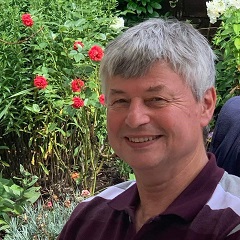
Steve’s active ringing career spans some ten years across five decades, with a 40-year break between first learning as a teenager in the ‘70s and his return to ringing in 2015 when his local band was re-formed. Since then, he has dedicated much of his time to learning method ringing and conducting.
He attended ART M1, M2F and M2C courses and became a full member of ART in 2018, is now an ART Assessor, and is currently in the process of becoming an ART Tutor. Steve is Training Officer for the Bicester Branch of the ODG and does a great deal of teaching handling, foundation skills and basic methods.
Steve runs two general practices per week, organises and runs monthly focussed skills practices and has led methods courses organised by the ODG. In 2022, Steve joined Susan Read in forming an ART Hub, Oxon Ringing School and runs the Kirtlington Ringing Centre.
Steve and his wife, Judith, are currently leading a project to analyse and implement an app to automate some of the administration of the Ringing School. This will need the full cooperation of all the current 30 plus teachers and the 20 or so learners. The new software is vital because without that help, the Ringing School administration team could burn out and the Ringing School itself could fall apart!
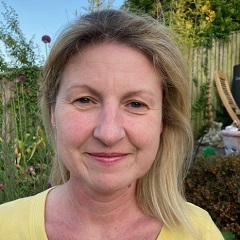
In her own words…
I learned to ring at the age 42, after my sister started ringing a few years earlier at her local tower in the Cotswolds. At first I couldn’t understand why we had to find out when the local churches were ringing during family holidays, but since I started ringing, we are now finally on the same page!
I was quite a quick learner when it came to bell handing but was advised on a course a few months later that my handling wasn’t right and I needed to count my place and not just learn the numbers. It was a breakthrough moment when it all became clear and I then turned my attention to other new ringers who had been in the same situation as me just a few months before.
Someone mentioned ART to me a few years later and I went on a Module 1 course in 2018. It provided me with all the tools to start teaching and I was keen to get started straight away. I taught my first learner in 2019 and soon after Covid stuck. Not to be deterred, I started again in 2022 with two new ringers and when more people wanted to learn, I encouraged other experienced ringers at my tower to attend a Module 1 course. Ringers from surrounding towers have also attended the course and we now have an active group of teachers and new ringers within a few miles of each other.
Being a mentor has provided me with further experience and I find that every new ringer, has something new to teach me too.
Having come to ringing later in life, I find it easy to relate to new ringers struggles. Seeing them succeed has been a great achievement.
I am an Operations Coordinator for a large high street retailer and in my spare time I like exploring areas of historical interest and natural beauty in my spare time. I am also a keen hill and mountain walker.
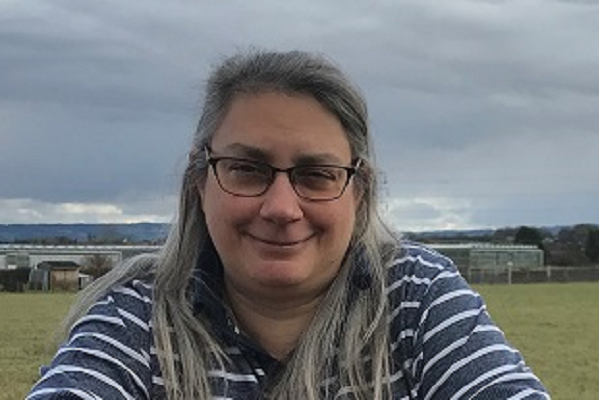
In her own words…
‘I learned to handle a bell as a teenager because I was intrigued, and it was the best ‘after-school’ club on offer. College, and then working in Tennessee (where at the time, they had no bells) meant a 5-year hiatus from ringing. I mentioned in passing at a University evening meeting that I had done some ringing and half an hour later I found myself at a practice night not far from York, and by the end of the evening had remembered how to plain hunt – sort of.
My first foray into serious teaching was in 1999 when I became heavily involved in teaching two brand new bands in time to ‘Ring in the Millennium’, and teaching has really been my focus ever since. I find it both challenging and rewarding, and as much a learning experience for me as it is for the person I am teaching. I went on one of the first M1 and then M2 courses at Kineton and became an accredited member of ART in 2013′.

Awaiting biog
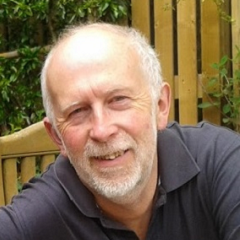
Phil learned to ring at the age of 11, having initially only gone to watch. This was at St Columb Major, Cornwall where he still rings and was tower captain for almost a quarter of a century. They are primarily a call change band, some of whom also ring methods, and have taken part with some success over the years in the traditional Cornish rise-rounds-fall striking competitions. The tower is equiped with a Higby training bell connected to Abel.
After a career in IT working for Cornwall County Council, a reorganisation enabled Phil to take early retirement; the Kernow Old Codgers mid-week group soon followed. He also organises Pydar Improvers practices (affectionately known as PIMPS!) for ringers across the Pydar Deanery and beyond, and with the support of other teachers in the area recently registered the Pydar School of Bellringing as an ART Teaching Hub.
Despite having been teaching ringing for decades Phil firmly believes that there is always something new to learn, and so attended an ART Module 1 course some ten years ago. He has since also completed M2F, and in recent years has been an ART Assessor and is now an ART Tutor.

Now living in Hampshire after spending 40 years in London, Roger has held various posts within local ringing societies. For a long time Roger was a member of the Central Council of Church Bell Ringers and served on its Ringing Centres, Towers and Belfries, Redundant Bells and Administrative Committees.
As a Chartered Surveyor, Roger combined his professional career with pleasure and played a leading role in major bell restoration projects at Bermondsey. Isle of Dogs, Limehouse, Rotherhithe and Walworth, as well as many smaller projects, and the transfer of redundant rings of bells from St Stephen Ealing to Aberdeen Cathedral and Homerton to Stone next to Dartford. He therefore has a wealth of knowledge about tower maintenance issues.
To help ensure there were adequate numbers of ringers to ring these restored bells, Roger then turned his attention to issues of recruitment and training. He is particularly interested in initiatives to improve the quality of teaching and make more effective use of trainers through the use of simulators.
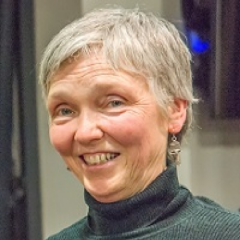
Lesley Boyle has been ringing for over forty years and has a wide breadth of experience from multi-doubles peals to peals of maximus in hand and tower. She was a participant in winning bands in the National 12 bell competition in her youth, and is now a Tower Captain teaching young and not-so-young learners. She is also local District Ringing Master, serves on the Ely Association Recruitment and Training Committee, and helps with group teaching at the local ART hub.
Lesley says “I’ve gained a lot of pleasure out of ringing over the years and want to pass this on to others. I’ve realised through teaching many people to handle that everyone benefits if they’re taught well – the learners progress more quickly and the band is supportive with less frustration. I want ART module attendees to have confidence in teaching handling and foundation skills, and get that buzz out of seeing their own learners’ achievements.”

Nick started ringing when 8 years old in a small village in north Bedfordshire. The church bells had an old oak frame, old rotting wheels and a single old ringer, with whom he chimed the five bells by tying ropes to provide foot loops. When he was 10 years old, a ringing family moved to the village, Michael and Jill Orme, and their son Phillip. Michael decided to fund raise for a new ring of six bells, and Nick was invited to learn to ring properly. By the age of 12, Nick had learned to plain hunt and ring the second to Plain Bob without the numbers, although he still remembers thinking: ‘Yes I’m doing it, but I still don’t really know what it is I’m doing’.
After university Nick’s ringing career continued in Kempston, Bedford. He was Ringing Master for a while at Kempston and for the district and rang at various local towers. Two years and a change of career later Nick moved to Leighton Buzzard, where Mark Regan was fund raising for a new ring of twelve bells. He learnt to ring on twelve and even reached the national twelve bell finals.
Nick lived in Leighton Buzzard for 35 years with his wife, Lindsay, and their two daughters, both of whom learnt to ring. They ran Linslade tower for some years and taught several young ringers towards Bedfordshire Association’s run of success in the RWNYC. After further job changes, they resettled and are now enjoying life in Rugby. All four are ART teachers and Lyndsey and Nick have been mentors since ART first began.
They have taught a new band at nearby Stretton on Dunsmore and are proud of how well they’re doing. They’re the holders of the Rugby Deanery Rounds and Call Changes cup and after two short years are learning to ring simple methods inside.
Nick has been an ART Assessor for about 5 years and is now an ART Tutor. He says that his experiences with ART have been positive, as he can see that students appreciate the way it breaks the teaching down into manageable targets.
“Bellringing is a unique and amazing hobby in many ways, it’s certainly the strangest musical instrument I know, and it produces such an iconic sound. I wish to continue to help others enjoy ringing at whatever level they are at.”
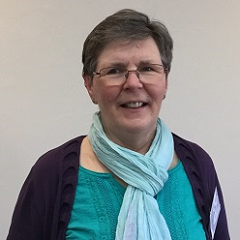
Gill learnt to ring as a teenager at a church with a single bell hung for full circle ringing! It was a few years later that she rung with others.
Involved with Scouting and young people all her life, she organised Scout and Guide visits to the tower and so began teaching many young people to ring. Young ringers camping trips followed and she became a tower grabber, open days and outings to start with, then organising her own ringing holidays and days out with other grabbers. Over 6,000 towers later she still enjoys travelling to new towers.
A member of the CCCBR Education Committee for many years she delivered the Teaching the Teachers Course. When Pip Penney a member of the same Committee proposed the forerunner to ART, Gill was keen to get involved, becoming a founder member, and with working in accounts she took on the role of Treasurer.
Gill particularly enjoys ringing quarter peals on both tower and handbells. She likes teaching all aspects of ringing and finding ways of introducing ringing to young people. She has taken the Lichfield Mobile Belfry, on four occasions, to the International Scout &and Guide Camp at Chatsworth Park, giving thousands of young people an introduction to bellringing.
Outside ringing Gill has a mentoring role in Scouting and is a keen gardener with a love of the countryside.
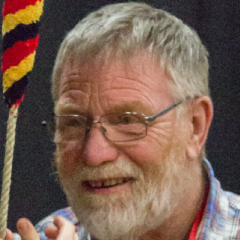
Frank lives in Herefordshire and rings at his home tower, Bosbury, as well as ringing and teaching in the surrounding towers where most of the teachers are ART accredited or working towards it. Frank has been involved with ART from the beginning − being part of the management team for a number of years and as a Tutor from the early days.

Christine learned to ring in 1981 at Christ Church, North Shields and it’s safe to say she was smitten from the first lesson. “How hard can it be?”, quickly became a challenge to get it right. A house move to Sunderland soon meant that she was ringing at five practice nights per week, with weddings on Saturdays and service ringing on Sundays. A wide variety of methods (and bells) as well as a keen nucleus of local ringers who took her under their wing, gave her a good grounding in basic methods as well as the chance to progress to more complex methods when appropriate.

David is an Australian ringer, resident in Brisbane but a frequent visitor to UK. He helped introduce ART to Australia and New Zealand and was one of the first antipodean ART Tutors to be appointed (2014). He is a past president of ANZAB, was a member of the ‘CRAG’ review team and then served on the Central Council Executive from 2018 to 2022. He writes ‘The Education Column’, published in The Ringing World. As a true ‘international’, he recently (Summer 2023) undertook a tour that included running eight ART modules in North America.
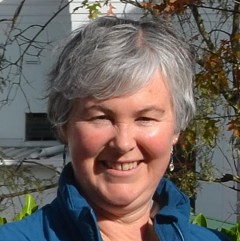
Kathi learnt to ring as an adult in the early 1990s at Christ Church St Laurence in Sydney, Australia. She went on to become a member of the St Mary’s Basilica Society of Bellringers in Sydney and over time have held the roles of Secretary, Ringing Master, Vice Captain, Tower Captain and Treasurer of the St Mary’s Society. She has also acted as Ringing Master at St Paul’s Burwood and St James’ Queens Square.
She has been actively involved as a helper and session leader at the annual Sydney Ringing School for many years. She has held the roles of Secretary, Newsletter Editor, and Education & Training Officer in the local branch of ANZAB.
In her first stint as Education & Training Officer, she was responsible for the E&T needs of 11 towers across NSW, with travelling distances of almost 500 km north, 500 km south and almost 600 km south-west of Sydney! A great way to see the country and meet all the regional ringers.
Currently she lives in the Blue Mountains where she is using Learning the Ropes to teach a new local band from scratch at St Hilda’s Katoomba and ringing as a member of the Lithgow Bellringers. She is now Education & Training Officer (West) with a much more reasonable travel range of only 160 km!
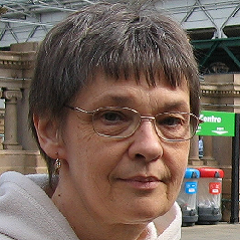
Judith learned to ring at Leeds University as a student, making rapid progress with a good band.
Her career took her to Nottingham where she rang at St Mary’s and then to South Wales ringing at Llandaff Cathedral. The past 35 years have mainly been spent in Dunblane, with a few years in the south of France (great fun but a barren time for ringing!) Judith has been Tower Captain at Dunblane since 2005 and is the Training Officer for the Scottish Association of Change Ringers. She met her husband Chris at University (in the tower naturally) and their 4 grown up children are all ringers too.
Aside from ringing, Judith is a keen musician playing violin with the Stirling Orchestra and handbells with the Dunblane Cathedral Handbell Ringers. Since her recent retirement from IT project management she has more time for all her hobbies.
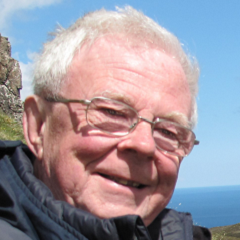
Neil Donovan lives in Beverley, and rings at the 12-bell St Mary’s Church.
He learned to ring in Rotherham in late 1959. His tutor was Norman Chaddock, one of the founders of the CCCBR Education Committee. Another formative influence was Wilfrid F Moreton, founder of the Hereford Ringing Course.
Neil is a Vice-President (and former President) of the Yorkshire Association of Change Ringers. He has been involved with ringing education in Yorkshire for over 30 years, organising and tutoring on many day courses and a residential course which ran for 27 years.
Neil has been a group leader and tutor at the Hereford Course since the mid-eighties. He prefers beginner groups, and takes great pleasure in helping students to take their first steps in plain hunting and beyond.
Moira started ringing in 1990 at the age of 11. Already an active member of St. George & St Mary’s church, she started to ring as a hobby for her Duke of Edinburgh awards. She rang until around the age of 16, although less frequently and then disappeared from the ringing scene for around 20 years to concentrate on college, university, family and her career.
The bells of Church Gresley were out of action for around 8 years, in which time Moira was ready to return to ringing but didn’t really know anything about the world of ringing outside of Church Gresley or know any other ringers. In 2014 the bells were ready to ring again and Moira was asked to take on the task of getting them ringing again, probably because she had pestered the PCC for the duration of the bells being unringable. Not knowing where to start, Moira agreed to do something. Thankfully by chance Moira had become friends with John Cater on Facebook some months before so asked if he would help her. Moira and John had not seen each other for 20+ years, but John kindly agreed to help. John introduced Moira to ART and they both quickly went through M1 & M2 and taught a new band from scratch. Unfortunately the bells at Gresley are out of action again, but that’s another story.
Moira is now a teacher, mentor, Tutor and Assessor for ART and runs the South Derbyshire Ringing Centre with John.
If Moira isn’t ringing then she’s busy doing something else, DIY, tending to her allotment, working away, spending time with her dog, cats and family, running or going to bootcamp. If there ever is time to relax though, it’s with a large glass of Sauvignon!

Clare learned to ring, aged 12, in the 1970s at Harborne in Birmingham and has rung there ever since. From a young age she began helping with teaching there, but it wasn’t until much later, when she became Tower Captain at Harborne, that she really developed her teaching skills.
A varied career began with 15 years making stained glass windows, followed by 19 years as a front-line paramedic with West Midlands Ambulance Service. Clare has just started a new venture, becoming a freelance First Aid Instructor.
In 2013 Clare came up with the crazy idea of a bell ringing school to centralise training in Birmingham and spread the load and responsibility of teaching, thereby supporting towers without teachers and distributing new ringers to towers within the St Martin’s Guild. Having presented the idea, she was surprised, but extremely grateful, that it was immediately supported by key figures in the Guild and thus the Birmingham School of Bell Ringing was born.
Involvement with ART came about in 2012, when one of the ringers at Harborne asked Clare to mentor her through Module 1 of the teaching course. Having attended the course and mentored several teachers Care became an ART Assessor and subsequently, in 2017, a Tutor for ART.
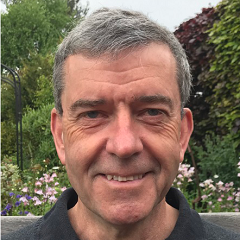
David Sparling learned to ring at St Michael’s Kirby-le-Soken in Essex at the age of 10. He was introduced to handbell ringing and also given the opportunity to ring on 10 and 12 bells with the University of London Society of Change ringers during his studies at Imperial College.
David served as Tower Captain at Kirby-le-Soken from 1985 to 1997 and he is a past Master and a Life Vice President of the Essex Association of Change Ringers.
As well as teaching at his home tower, David has been a regular tutor on the annual Essex Ringing Course since its foundation in 1991. In addition he has run a number of District and Association training events over the years and now helps teach at the ART Hub at Ardleigh.
He was appointed as an ART Tutor in April 2019 and also serves on the ART Management Committee.
The ART Supporters programme provides a framework and benefits for those who support our work financially.
£5 per month or £50 per year
Package includes recognition on the Supporters page of the ART website, 25% off a ticket for the ART Conference, statement of our thanks posted on ART’s social media pages and an annual Supporter’s certificate.
£20 per month or £250 per year
All of the above, plus an extra ART Conference ticket at 25% off, the opportunity to host a stand at the ART Conference, and acknowledgement of thanks in Chairman’s Chatter.
£100 per month or £1000 per year
Package includes 50% off two tickets for the ART Conference. In additon to the benefits enjoyed by Friends and Sponsors, Patrons will be recognised on all ART Teaching Scheme and Learning the Ropes materials and certificates, and on every page of the ART website.
For regular payments by Standing Order.
You can often set up a Standing Order using online banking. Use these details.
Name: Association of Ringing Teachers
Sort Code: 30-90-89
Account Number: 36810368
Reference: please add your name
Otherwise you can use a paper form.
For one-off or monthly payments direct from your bank account.
Name: Association of Ringing Teachers
Sort Code: 30-90-89
Account Number: 36810368
Reference: please add your name
For one-off or monthly payments using a card or your paypal account.
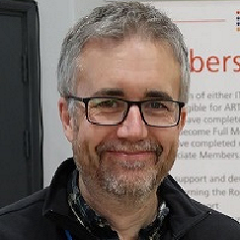
Matt started ringing in Walsall as a teenager in the mid 1980’s when a school friend persuaded him to have a go. Although he has been ringing for over 30 years it is only since moving to Lilleshall, Shropshire in 2013 that he started (out of necessity) teaching people to ring. Building and developing the band at Lilleshall resulted in a particular interest in recruitment and retention.
Matt is currently the recruitment and retention lead for CCCBR’s Volunteer and Leadership Group and has helped develop the Recruitment and Retention Workshop in partnership with ART.
Dee learnt to ring in North Herts in the 70s as a teenager. She was very lucky to have a teacher who insisted on good handling and ringing with a gang of teenage bell ringers – they enjoyed lots of ringing based adventures!
Going to University in Nottingham to study Applied Chemistry, Dee joined NUSCR and was introduced to course bells, ringing surprise methods and ringing on higher numbers. She still maintains close links with the Society and was proud to hold the post of NUSCR President for 5 years.
In the 80’s Dee’s parents retired to Cornwall and during school holidays she had the privilege of ringing Call Changes with the local ringers and going on tour with the Cornish Choughs. She started her teaching career in the Midlands before finally settling to live in Burwell Cambs.
Dee is a very active ringer. As well as being the Burwell Tower Captain, she is the Ely DA Recruitment and Training Officer and Chair of Stretham REC. At the REC she enjoys the weekly Saturday morning teaching sessions with their buzzing atmosphere. The ART resources and her ART training are put to good use in her ringing activities.
With her teaching background, Dee finds being an ART Assessor extremely rewarding. She enjoys visiting different practices and guiding teachers and mentors. As a member of the ART Management Committee, she looks forward to supporting and developing the area of ART Assessment.
Clare learned to ring, aged 12, in the 1970s at Harborne in Birmingham and has rung there ever since. From a young age she began helping with teaching there, but it wasn’t until much later, when she became Tower Captain at Harborne, that she really developed her teaching skills.
A varied career began with 15 years making stained glass windows, followed by 19 years as a front-line paramedic with West Midlands Ambulance Service. Clare has just started a new venture, becoming a freelance First Aid Instructor.
In 2013 Clare came up with the crazy idea of a bell ringing school to centralise training in Birmingham and spread the load and responsibility of teaching, thereby supporting towers without teachers and distributing new ringers to towers within the St Martin’s Guild. Having presented the idea, she was surprised, but extremely grateful, that it was immediately supported by key figures in the Guild and thus the Birmingham School of Bell Ringing was born.
Involvement with ART came about in 2012, when one of the ringers at Harborne asked Clare to mentor her through Module 1 of the teaching course. Having attended the course and mentored several teachers Care became an ART Assessor and subsequently, in 2017, a Tutor for ART.

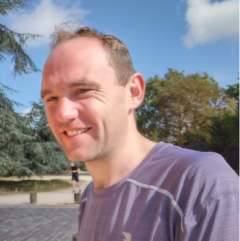
Arthur learned to ring as a teenager at his local tower, Theale, in West Berkshire. Following his time as a student at the University of York, He moved to Birmingham where he still lives and rings today. Arthur is a teacher by profession, with leadership responsibilities for curriculum and teacher development. He is thus excited to be working with ART as their Education Officer. Arthur believes that ringing teachers can learn from the wider research into educational pedagogy and has written a series of articles in the Ringing World on this topic.
Arthur has served as both Ringing Master and Secretary to the St Martin’s Guild. He has supported the development of the Birmingham School of Ringing as well as being an active supporter of ART since its inception.
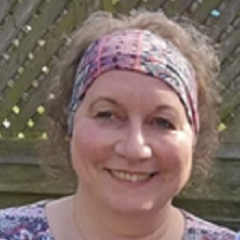
Monica started ringing in 2017, having been inspired to have a go by Ringing Remembers. She was hooked from day one and quickly worked her way through the Learning the Ropes scheme, ringing her first quarter less than a year later and completing the scheme in just under two years. She attended the ART M1 day course in March 2022 and is now an accredited ART Member.
Monica has undertaken a number of voluntary roles in bellringing, including Administrator for the LtR Facebook group, Treasurer for the North West Ringing Course, Secretary of the LACR Fylde Branch and the Lancashire Lads & Lasses group. She is also Tower Secretary at her home tower, St. Anne’s-on-the-Sea, Lancashire.
After university, Monica spent 18 years working in IT, initially in technical roles, but quickly progressing to project and programme management. After taking four years out when her children were small, Monica has worked in schools for the past ten years, latterly as a secondary school Bursar. She is keen to use all the transferable skills she brings with her to benefit ART.
Lesley is Tower Captain of Swaffham Bulbeck, a tower of 8 bells, near Cambridge and has been ringing since she was a teenager. Although Lesley has rung all sorts over the years ranging from Doubles to Surprise Maximus, she says that one of the most fulfilling things she has done is to teach people.
Lesley has been an ART tutor for a few years now and has had the pleasure of introducing many people to the structured ART approach − no matter how experienced people have been at teaching handling when attending her courses, there has always been some very useful tips they have been able to take away with them, and ultimately some learner has benefited, giving Lesley so much satisfaction.
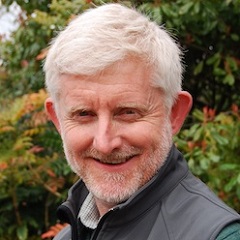
Like many ringers of a certain age Paul was a teenage starter − part of a completely novice young band brought together in 1977 by a newly installed rector to provide ringing at a near silent tower. This was at Pontesbury in mid-Shropshire, top end of the Hereford Diocesan Guild territory, and there he stayed (not making much progress) until a move to the University College of Wales in Aberystwyth. Paul initially didn’t ring at the single available tower in the locality (Llanbadarn Fawr) for fear that the student band would be too high-powered! However, he eventually plucked up courage and needn’t have been worried. This was really the start of his ringing commitment which has accompanied life ever since and a return back to Shropshire over 30 years ago.
Paul’s home tower is Edgmond, in the Shropshire Association, but he still retains links to the Hereford DG through ringing regularly at Much Wenlock. He is a committed member of the Welsh Colleges’ Society and is proud to be a member of the Cumberlands too. Paul had a period of eleven years as the Hereford DG’s Education Officer and places ringing training, teaching and education in his list of ringing priorities alongside local ringing commitments.
Residential ringing courses have been a mainstay of Paul’s ringing life and he has enjoyed student, helper and tutor roles at the Keele, Whirlow and Hereford Ringing Courses over many years. As a university senior lecturer, education, teaching and training are uppermost too in his professional work life – he has a passion about learning development, knowledge transfer and student engagement and is keen to bring these skills to ringing standards through ART and its work.
David learned to ring at St Michael’s Kirby-le-Soken at the age of 10. He was introduced to handbell ringing during his university studies at Imperial College, London by the late, great Roger Bailey and also given the opportunity to ring on 10 and 12 bells as part of the University of London band.
After university, 12-bell ringing continued under the guidance of George Pipe at St Mary-le-Tower, Ipswich. David served as Tower Captain at Kirby-le-Soken from 1985 to 1997. He is a past Master and and a Life Vice President of the Essex Association of Change Ringers and has been a regular tutor on the annual Essex Ringing Course since its foundation in 1991. In addition he has run a number of District and Association Training events over the years.
David was appointed as an ART Tutor in April 2019 and acts as the Tutor Coordinator.
TESTING
Sue has been ringing since 2010 following an appeal in the local parish magazine. Four years later she was appointed Southern District Secretary of the Surrey Association, taking care of the membership records and preparing the accounts and annual report entries. Soon after she became Tower Captain of her local tower, St Margaret, Ockley.
Sue qualified as a chartered accountant in the 1980’s but gave it up a few years later due to family commitments and now lives on a smallholding, gardening on a large scale as well as running a walking group and acting as treasurer to a local charity.
Sue has been associated with ART since attending Module 1 in October 2015 and is ART’s Treasurer.
Annie grew up in a family where it was ringing on a Friday evening and a rugby match on Wednesday and so was set the pattern and passions of her life. She learnt to ring in Leicester and has spent time ringing in Staffordshire, Kent and Dorset. Currently she rings in Warwick, where the band rings at both towers.
Following a career in HR, Annie is now retired and spends much of her time with her family and helping with grandchildren. She is General Secretary of the Coventry Guild, a member of the Central Council and has been a member of ART since its inception.
Enjoying ringing and feeling part of a team are important for Annie and reflect the values she brings to her role as Secretary of ART.
Andrew joined the ART Management Committee as Chairman in 2023. Having worked in the university sector for over 30 years, Andrew brings an understanding of how to work through others and an in-depth experience of the world of quality assurance of education programmes and activities.
Whilst new to ART, Andrew has taught many people to ring, principally during his 28 years as Ringing Master of St. Mary’s Richmond, North Yorkshire, his home tower. He is a firm believer in theory and practice being necessary to develop ringers, and welcomes the opportunity to bring the skills and experiences of his work and his hobby to bear on the task of maintaining and developing bellringing through the Association of Ringing Teachers.